Pulse Broadcast is the streaming system for your radio station. It takes the audio from your studio, keeps the station on air when the link drops, processes the sound, creates every internet stream and serves your listeners—all from one server application.
Hosted by us during the trial Studio connection help included
production / live on air
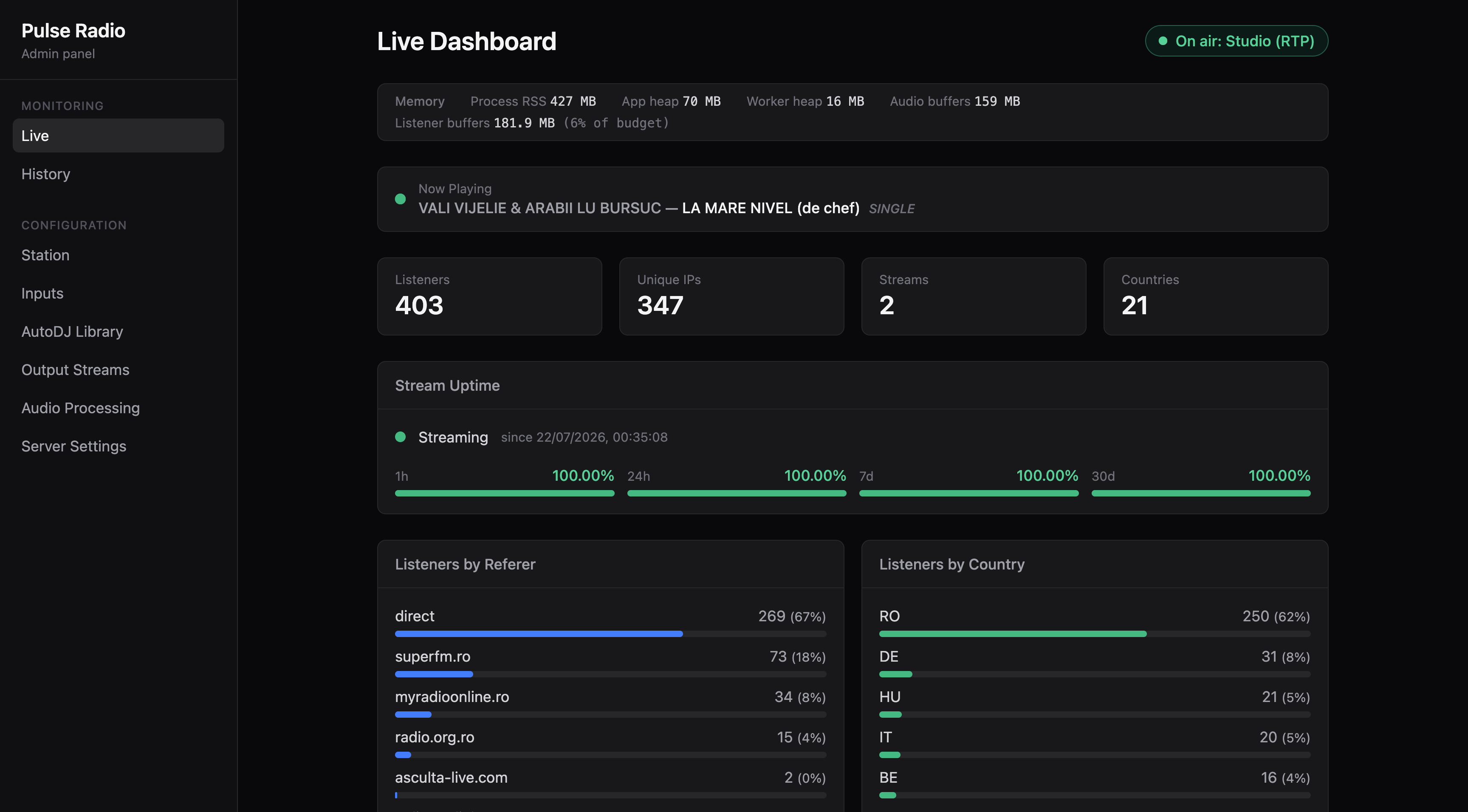
Listeners403
Process RSS427 MB
SourceStudio
~440Klistener sessions / month
~5.4Mlistener sessions / year
~400 MBproduction memory footprint
Multi-formatMP3 · AAC · Opus from one source
Current production run rate across deployed stations. Sessions are listener connections, not unique people.
One process, not a process manager
Icecast is a pipe. Pulse is the station.
A real station needs much more than a relay. Pulse Broadcast puts the entire signal path and operating surface under one roof.
01
Ingest & failover
The studio can drop. The stream does not.
Accept uncompressed RTP/PCM or a standard Icecast source. AutoDJ takes over immediately when the studio disappears, then hands back only after the live feed is stable.
A silence generator remains underneath as the final source, so listener connections stay alive.
02
Broadcast DSP
Process the audio before it reaches an encoder.
Parametric EQ, LUFS-targeting loudness control and true-peak limiting live in the same audio path, with browser controls and preview-before-commit editing.
No separate processor, routing layer or fragile chain of processes.
03
Encode & deliver
One source becomes every format you need.
Configure as many MP3, AAC and Opus outputs as the server can sustain. Each output is encoded once, then fanned out to every listener. Serve direct HTTP streams, HLS, ICY metadata and a protected low-latency monitor.
Codec-aware burst buffers make playback start immediately. A companion metadata agent watches your playout software and pushes every song change to Pulse and your station website.
04
Analytics & control
Know what the station is doing, now and historically.
See concurrent listeners, countries, referrers, players, listening time, source uptime and memory use. Sessions survive restarts and analytics stay off the audio path.
Configuration persists across redeploys from one admin panel.
Signal path
Everything between the studio and the listener.
Start at the studio mixer, send the program feed through any industry-standard IP encoder, and let Pulse handle everything on the server.
StudioAudio mixerProgram output · clean analog or digital audio
→
IP encoderBarix · DEVA · softwareIndustry-standard studio-to-server link
→
Ingest & arbitrationPCM over RTPAlso accepts Icecast / HTTP sources
AutoDJ Silence
→
DSP chainEQ → LUFS → limiterOne processed PCM signal
→
Output encoders
MP3 × nAAC × nOpus × n
Each output encoded once, then fanned out
→
DeliveryHTTP + HLSICY metadata · monitor
Analytics & admin plane observes and controls the entire pipeline
One box. One process, one Docker container, one place to operate the station.
PCM
The cleanest route to the listener
Send the original studio audio. Encode only after processing.
With uncompressed PCM over RTP, Pulse receives the original samples straight from the mixer—without an early lossy encode. The server can apply EQ, loudness control and limiting to the clean signal on the fly, then create every MP3, AAC and Opus output directly from that single processed master.
No generation loss before DSPOne clean master for every outputChange processing live without touching the studio encoder
Failover without dead air
The backup is already running when you need it.
When the studio link drops, source arbitration moves listeners to AutoDJ immediately—without restarting the stream or making the player reconnect.
PrimaryStudio feedLIVE
AutomaticAutoDJ
Last resortSilence
Hysteresis prevents flapping when an unstable studio link returns
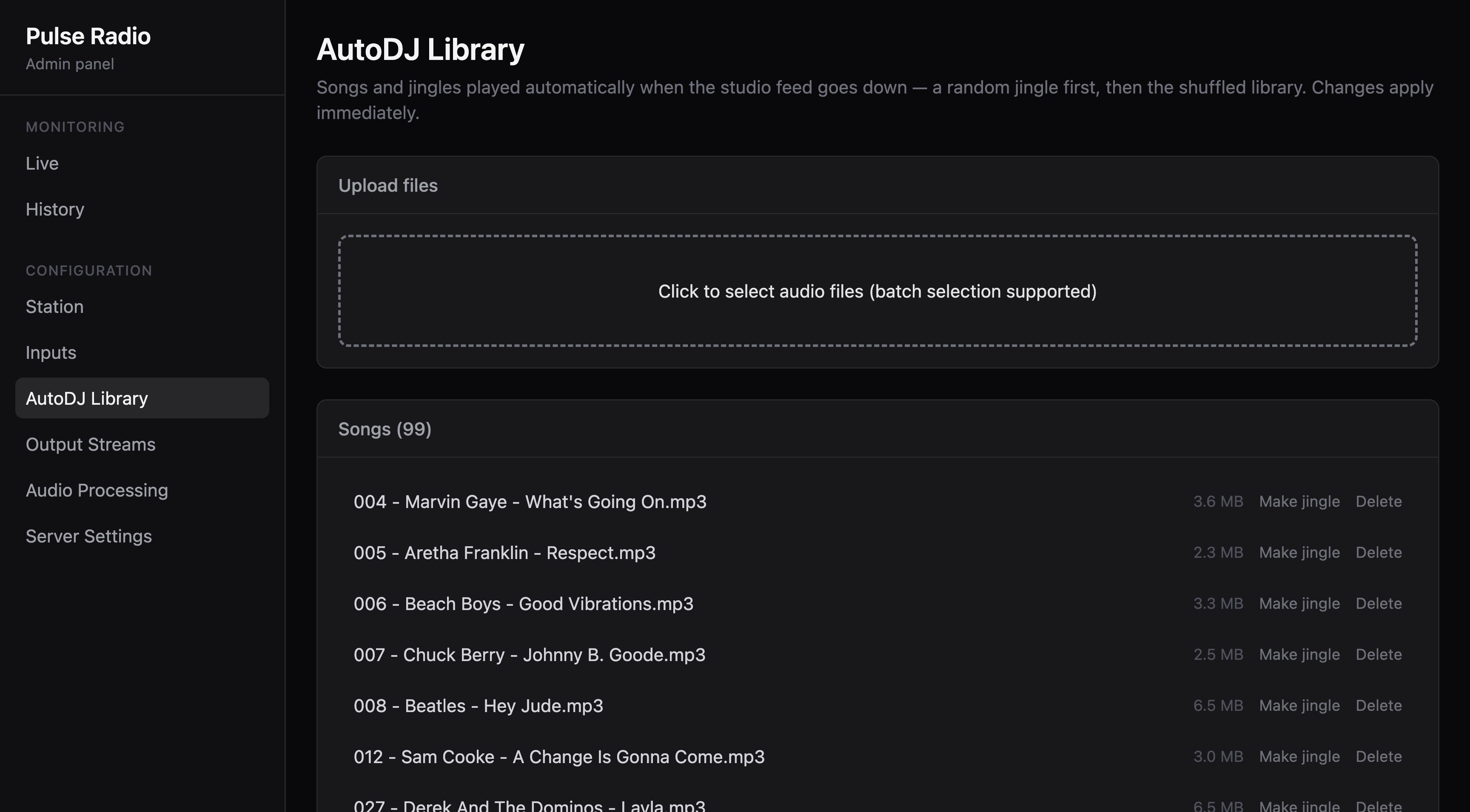
Managed music and jingle library lives in the admin panel
Listener sessions remain connected through every source change
AutoDJ Library
Live demo · real Pulse instance
Hear the system, not a mockup.
This station is running Pulse Broadcast’s built-in AutoDJ and producing MP3, AAC and Opus from a single clean source. A station can configure as many output encoders as its hardware can sustain.
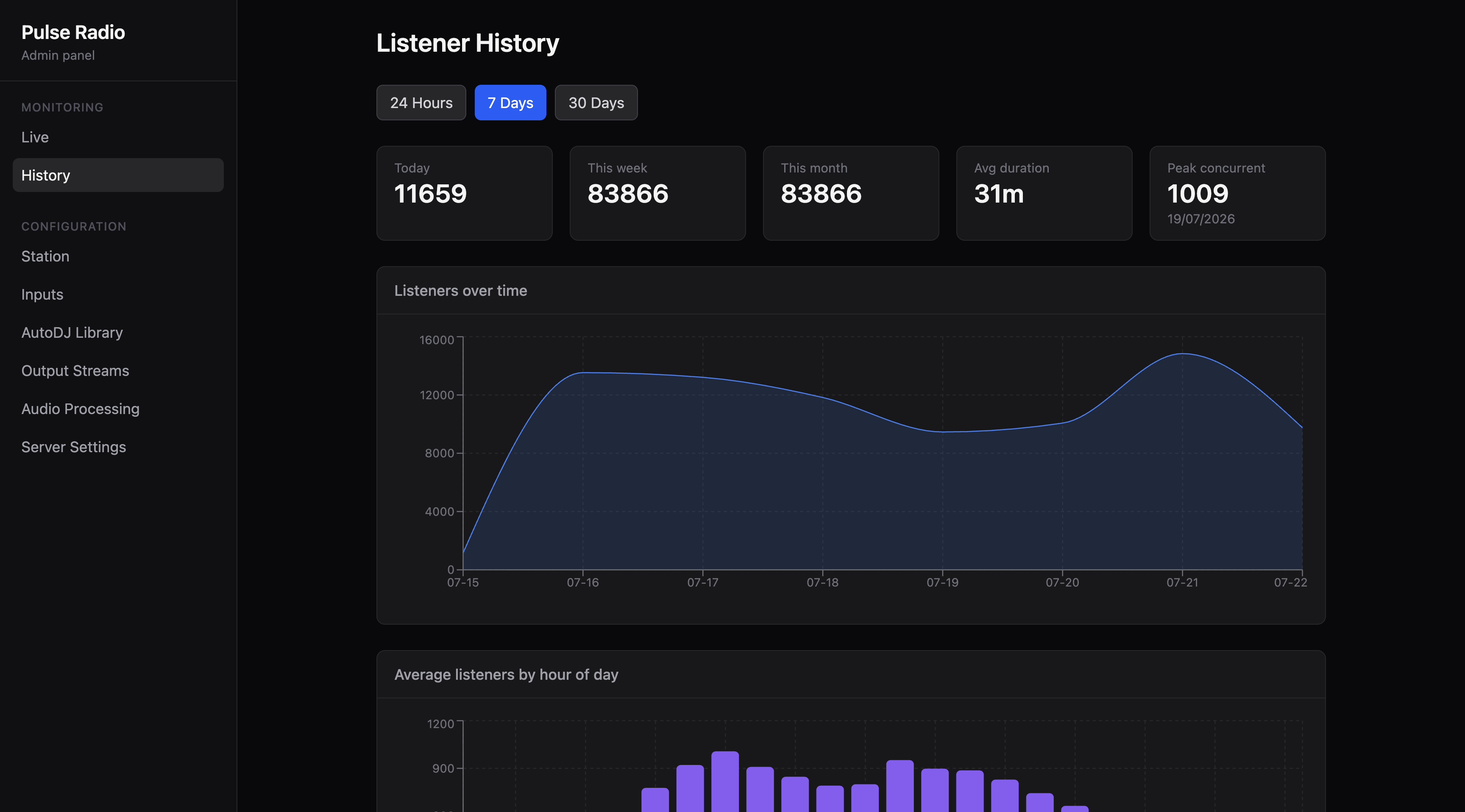
Audio health, listener load and resource use are visible together. Historical sessions survive restarts while analytics work stays isolated from the real-time path.
427 MBRSS in the production capture
Boundedglobal listener buffer budget
Isolatedanalytics worker
Listener history
Stack comparison
A relay is one component. Pulse is the operating system around it.
Icecast remains a capable stream relay. Pulse Broadcast solves the rest of the station problem too.
“Our internet stream used to depend on a PC at the end of tens of meters of cable, capturing the mixer through a sound-card jack — questionable audio, and when that PC rebooted we were off the internet. Now a broadcast encoder sends the mixer output straight to Pulse. The PC is gone, and that whole class of problems went with it.”
SuperFMBrașov · 93.8 FM
“FM never tells you who is listening. Pulse does — listeners hour by hour, by country and by player, with uptime history. After decades of broadcasting blind, we finally have numbers to plan around, and with modern codecs the stream sounds better than anything our old capture setup produced.”
Radio BrașovBrașov · 87.8 FM
Try it on your station
Two months. Hosted by us. Your real audio.
We will provision a managed Pulse Broadcast instance and help wire your studio output into it. Run it with your real station before deciding what comes next.
01
Map the current signal path
We review your encoder, studio link, codecs and listener load.
02
Connect a hosted trial
We provision Pulse and work with you to get studio audio flowing.
03
Choose the long-term setup
Keep managed hosting or deploy on infrastructure you control.
Talk directly to an engineerTell us how your station works today.